
Security Time Keeping
DPI Security uses a timekeeping system called Belfry. This system is used for clocking in/out, tracking your hours, and managing your schedule.
Please review the information below carefully and take the required steps before your next shift.
GETTING STARTED:
1. Download Belfry Mobile App:
iPhone: App Store (iOS)
Android: Google Play Store (Android)
When you clock in for a shift, you use the app on your phone, or you can access Belfry via the app on the site phone (but that is not the preferred method).
2. Watch:
The tutorial video
3. Practice:
Log in and confirm access before your next shift
Resolve any login issues in advance
What You Can Do in Belfry:
View and approve your schedule
View and sign up for available shifts
Log your work time
Get directions to job sites
Perform job-related tasks (reports, tours)
PROCEDURE:
1. Clock-In Rules:
You may clock in no earlier than 5 minutes before your scheduled shift
All time clock in/out entries (not meal breaks) are rounded to the nearest 15 minutes
If you clock in late, rounding may adjust your time forward or backward.
2. Clock-Out Rules:
You must clock out at the end of your shift
The system will automatically clock you out 10 minutes after your shift ends
All manual time entries are rounded to the nearest 15 minutes
Important:
If you manually clock out, you will:
Confirm (attest) your time
Have the ability to add a note if something is incorrect
If you are automatically clocked out:
You will not be able to attest
You will not be able to add a note, but you should go back into the app and add the times the next day/when you are back at work.
3. Daily Review Requirement:
You are responsible for:
Reviewing your time entries each day
Confirming accuracy when prompted
Addressing any issues immediately via text or email to Branch Office
4. Time Corrections (Required Process):
If your time is incorrect:
If you manually clock out → add a note in Belfry at that time
If you are auto clocked-out or miss something →
You must provide written verification through:
Text, or
Email
All time corrections must be documented for transparency and compliance.
5. Breaks and Lunches:
You must clock out for lunch when relieved from duty
Missed lunches will be flagged and must be confirmed
If you forget:
· Report it when prompted via written (text/email) communication
Remember: Working through lunch without prior approval may result in discipline.
6. Staying Late / Schedule Changes:
If you need to stay beyond your shift:
Notify your supervisor immediately
The shift must be updated by a supervisor
Do not assume your time will be adjusted without approval.
7. Key Expectations
Clock in/out within allowed timeframes
Review your time daily
Provide documentation for any corrections
Communicate with supervisors regarding schedule changes
Bottom Line:
You are responsible for:
Your time entries
Daily review and confirmation
Promptly explaining and documenting discrepancies
Questions or Issues?
Check the Frequently Asked Questions below to see if it has already been answered.
If you have trouble logging in or using Belfry, contact your supervisor before your shift begins.
Frequently Asked Questions:
My time looks incorrect or rounded—what should I do?
If you manually clock out, use the note field to explain the issue.
If you cannot (e.g., auto clock-out), add an explanatory note or follow up via text or email.
I forgot to clock out for lunch—what should I do?
Report it when prompted via text or email so it can be documented and corrected.
Does Belfry track my location?
Belfry only tracks your location while you are clocked in. Once you clock out, location tracking stops. This is to ensure you are at the worksite at the time you clock in.
Does Belfry sell my data?
No. Belfry does not sell your personal data. Your information is used only for timekeeping/ system operations.
How do I request time off?
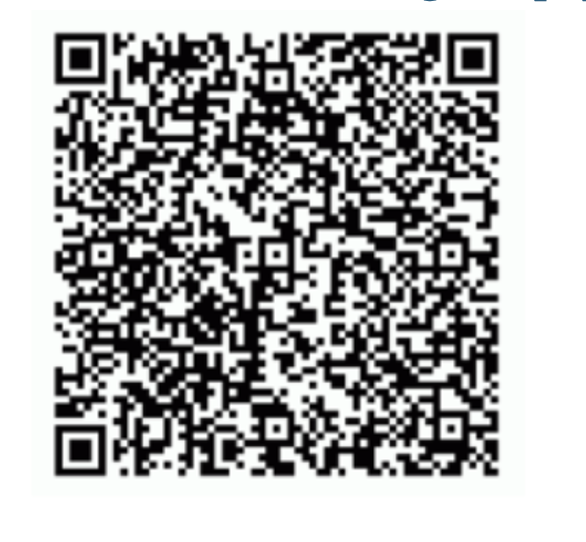
To request or inquire about a particular day off, please the PTO request forms that are available on the employee website or via the Security Mobile App (scan the QR code below):